
You’ve named a super user in every department. They sat through the extra sessions, they know the new system better than anyone, and go-live went fine.
Three weeks later, the same people are on their sixth screen-share of the day. They’re showing a colleague how to reassign an incident, or where the delegation setting lives, or how to log a call against the right opportunity. Their own work is piling up, and the questions keep coming.
How many super users you need for go-live
Most published guidance comes from healthcare and ERP go-lives. One widely quoted EHR go-live guide recommends at least one super user per specialty for every 15 users. An older hospital case study worked out at nearer one in eight.
Those figures come from shift-based clinical floors, where someone has to be on hand at 3am. An office-based rollout of Salesforce, ServiceNow or Workday can usually run leaner. As a planning starting point:
- Put at least one super user in every department and every site, whatever its size.
- Start from about one per 15 users in that group, then adjust down for office-based teams.
- Add more where a role has lots of exceptions or local variations, or where a site has no IT presence.
Rule of thumb: one super user per department and site, then about one per 15 users as a starting point, and nobody counts unless they’re relieved of their day job during go-live week.
Without backfill, they end up doing two jobs, and the network falls apart by week two.
How much training super users need compared with everyone else
Training hours depend on role. One ERP training guide suggests bands of roughly 4 to 8 hours for executives, 16 to 24 for managers, 24 to 40 for daily users and about 40 or more for super users. The bands overlap, so use them for a sense of scale.
On the platforms most rollouts involve, it looks like this:
| Role | What they need to learn | Relative size |
|---|---|---|
| Workday approver (manager) | Approve time off, expenses and job changes; delegate while away | Small |
| Salesforce sales rep | Leads, opportunities, activities, the reports they’re measured on | Medium |
| ServiceNow fulfiller | Work queues, assignment, states, SLAs, notes, resolution | Medium to large |
| Super user for any of these | Every task of every role they support, plus exceptions, local process and escalation paths | Largest |
To size super-user training, plan for the full end-user curriculum for every role they support, plus the exceptions. Someone supporting both approvers and HR partners in Workday needs both curricula before they can answer a single question with confidence.
Break anything longer than about two hours into shorter sessions. Keep weekly touchpoints between training and go-live, too. A super user trained two months early and then left alone will be rusty by the time go-live arrives.
Why super users get pulled into screen-shares after go-live
End users are often trained in the weeks before go-live. The tasks they do every day stick. Others come up once a month: a Workday approver handling their first retroactive job change, a ServiceNow fulfiller putting an incident on hold for a vendor, a Salesforce rep cloning an opportunity for a renewal.
When that monthly task arrives, the classroom session is a memory and the slide deck doesn’t match the screen. There’s nothing short to rewatch, so the fastest route is the super user down the corridor.
Say each of those questions takes ten minutes, and none of them needs the super user’s local knowledge. Multiply that by a department of 40 people through hypercare, the weeks after go-live when habits form. You get the familiar pattern: the help desk answering the same five questions and super users spending their days on repeat demos.
Split the load: super users for exceptions, video for how-tos
A super user is most useful because they know how your team works. So decide which questions actually need that knowledge.
| Question type | Example | Best handled by |
|---|---|---|
| Repeatable how-to | ”How do I reassign this to another assignment group?” | Short task video |
| Navigation | ”Where do I find my pending approvals?” | Short task video |
| Local process | ”Does our team log renewals as a new opportunity or a clone?” | Super user |
| Exception | ”This expense was approved by the wrong manager. What now?” | Super user, then escalation |
| Defect or config gap | ”The field I need isn’t on my form” | Super user logs it with the project team |
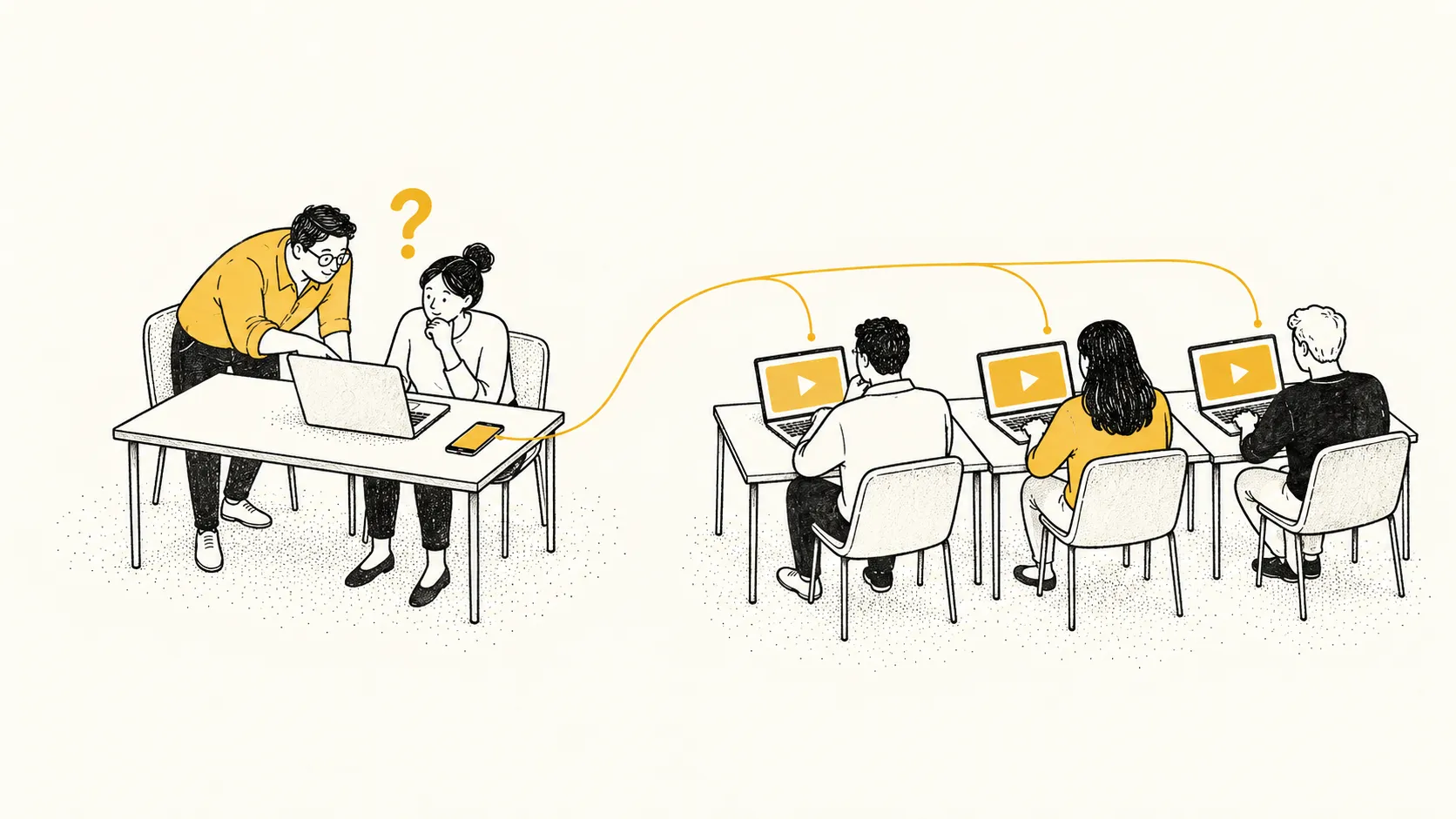 FIG. 01 · Super users take the exceptions; the how-tos go to video.
The how-to and navigation questions are the ones that repeat in most departments, and they’re the easiest to take off super users. You do that with a library of short task videos, 90 seconds to 4 minutes each, scoped by role. They’re filmed in your configured system, so the fields and picklists match what people actually see.
A mid-sized, single-system rollout typically needs 25 to 40 videos to cover what users actually hit. The super user stops giving demos and starts sending links, and their time goes to the local-process and exception questions only they can answer.
Measure it the way you’d measure any support change: track help-desk ticket volume on the topics the videos cover, before and after.
A sample go-live training plan by phase
| Phase | Audience | Format | Purpose |
|---|---|---|---|
| Pre-go-live (8 to 2 weeks out) | Super users | Instructor-led or train-the-trainer sessions, plus the full role library | Deep system knowledge, exceptions, local process design |
| Pre-go-live (final 2 weeks) | End users, by role | Short instructor-led session plus assigned videos for their role in the LMS | First exposure to the tasks they’ll do in week one |
| Go-live week | Super users | Relieved of normal duties, on the floor or on a channel | Reassurance, exceptions, defect triage |
| Go-live week | End users | Role library linked from the system and the help desk | Rewatch any task at the moment of need |
| First 90 days | End users | Library, plus videos added for the questions tickets show are recurring | Habit forming without a person in the loop |
| First 90 days | Super users | Weekly check-in with the project team | Feed back gaps, retire what’s resolved |
Train-the-trainer earns its place in the first row. It scales the super-user network across sites, and a trainer from inside the department can explain the local process in a way no central team can. It works best alongside a library: the trainer handles the “why” and the videos hold the “which button”.
Keep the library current after each release
The library only takes load off super users while it matches the screens. Salesforce releases three times a year, and Winter ‘27 is rolling out between August 29 and October 10, 2026. Workday releases twice a year, and 2026R2 reached production on September 19. ServiceNow also releases twice a year, now under country names, with Brazil expected to reach general availability in November 2026.
After each release, re-cut only the modules whose screens changed, then republish them to the LMS before users notice. Otherwise people hit screens that no longer match the videos and go back to asking their super user.
See the Workday library or see the Salesforce library.