PG · SF · 01 / 26
§ 01 — The release problem
SEC 01 / 07
REV. MAY 26
Seismic/Platforms/Salesforce
Platform — Salesforce

Salesforce training videos that ship with the release.

Salesforce ships three releases a year — Spring (Feb), Summer (Jun), Winter (Oct) — automatic, ~500 pages of release notes each cycle. Sandboxes preview four to six weeks ahead. Most training libraries document the version from one or two releases ago. A library scoped against the cadence costs less to maintain and earns more attention from users.
Platform
Salesforce — Lightning
Clouds covered
Sales · Service · custom
Output
MP4 · captions · SCORM
See also
/capabilities
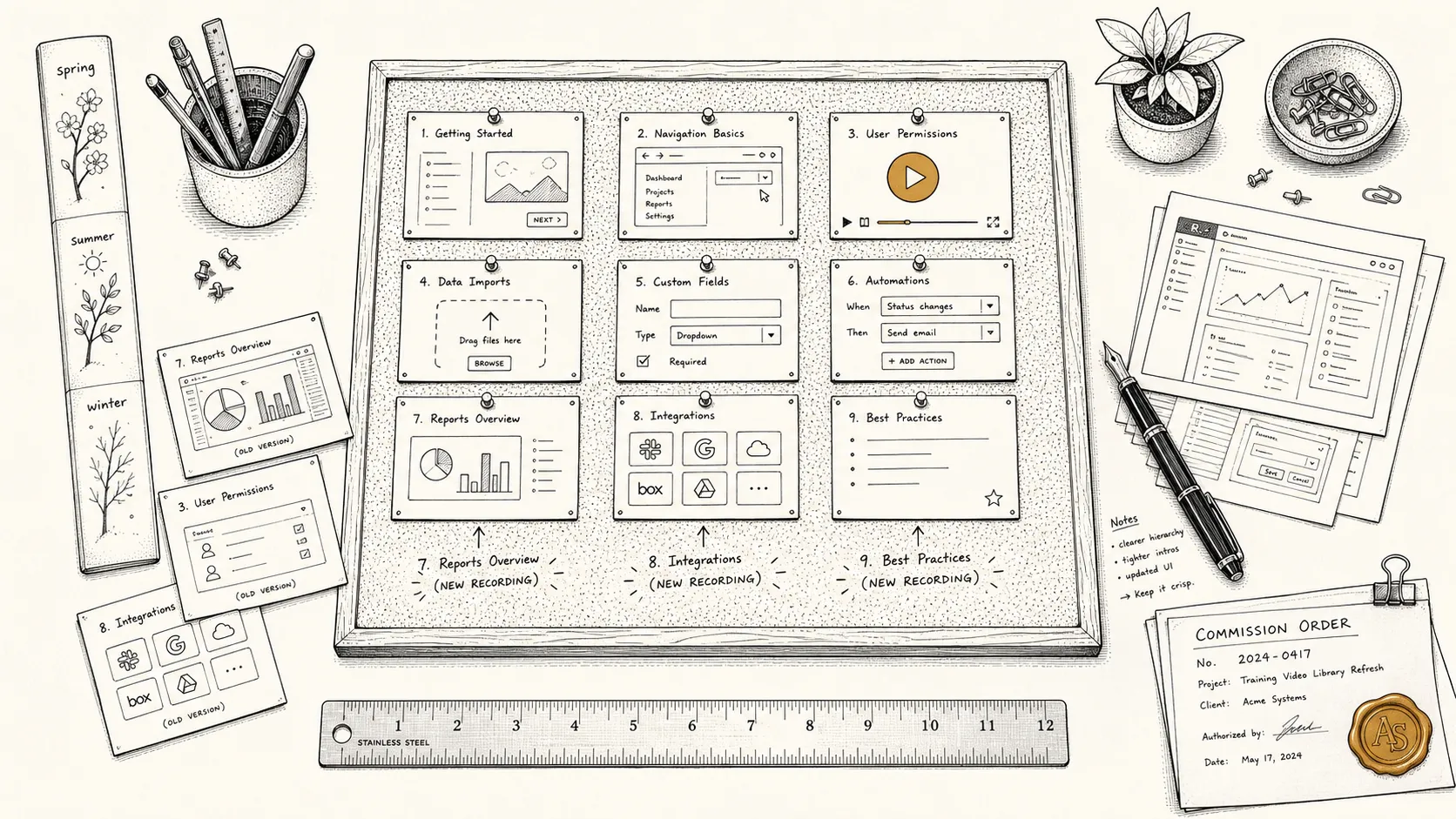
Illustration: an overhead view of a craftsperson's workbench laid out for a training-video library refresh — a corkboard pinned with a 3×3 grid of small video module cards at the centre, three cards lifted out for re-recording, a slim almanac strip labelled 'spring', 'summer', 'winter' along one edge, an ochre play-button glyph on one card, and a Commission Order slip with an ochre wax seal in the corner.
The release problem

A library that drifts a release behind every four months.

Spring lands in February, Summer in June, Winter in October — automatic, no opt-out, five minutes of downtime. Each cycle arrives with roughly 500 pages of release notes (Salesforce's own description on admin.salesforce.com). The library is recorded once at rollout, then drifts. By the second release after launch, screenshots show buttons that have moved, components that have been renamed, and Setup pages that have been reorganized. Users learn to ignore the library and ping the admin instead.

Flow Builder is the clearest example of the maintenance problem. Salesforce publishes a dedicated “Flow Features for Admins” post before every single release — it is the single highest-churn area in the platform. In Summer 2024, Salesforce shipped a full Lightning Design System refresh: new values for color, typography, border thickness, spacing, and icons, applied across the entire interface simultaneously. A library recorded in Spring 2024 showed a visually different product by July. Screenshots across the entire library became stale in one release cycle.

As of January 2025, 98.1% of Salesforce orgs have adopted Lightning Experience — the figure Salesforce cited when it retired Classic migration tooling. Classic is no longer the scoping question; Lightning UI churn is.

The solution isn’t to record more — it’s to record differently. A library scoped against the release cadence puts volatile workflows (anything tied to a specific page layout, Lightning component, or Setup screen) into short, individually re-recordable videos. Stable workflow narration usually survives unchanged. The library ages in pieces, not all at once.

For Salesforce specifically, that means scoping for:

Per-role workflows
Sales, Service, custom profiles. A Sales rep should not be watching Service Console intros, and vice versa. Role-based scoping is the single biggest lever on completion rates.
Lightning (only, for most orgs)
98.1% of orgs are on Lightning as of January 2025. Classic is in scope only for the minority still running it for specific legacy workflows.
Custom objects and page layouts
A generic Salesforce library recorded against the demo org is something users will not watch, because the screens do not match what they see. Capture happens in your configuration.
Permission-set variants
The same workflow looks different depending on which permission sets are assigned. Scoping accounts for the variants users actually encounter — not every theoretically possible permutation.
What you get

A finished library, packaged for the channels you already deliver through.

A complete Salesforce training video library, scoped to your org and your audiences. Standard delivery includes:

Source MP4s
1080p H.264, broadcast-ready, with consistent overlay design across the library — cursor highlights, region focus, callouts. The visual language is consistent so the library reads as one product, not 30 separate recordings.
Captions and transcripts
WebVTT and SRT captions on every video, plus a plain-text transcript per module. Caption styling complies with WCAG 2.2 Level AA; caption files are versioned alongside the video so re-cuts stay in sync.
SCORM 1.2 and 2004
Both SCORM versions packaged on delivery — most enterprise LMS platforms accept either, but procurement reviews often spec one. Direct iframe embed and xAPI are available where the destination supports them.
Library structure
A scoping document that maps your tasks to videos, organized by role and lifecycle stage. The structure is the artifact that prevents scope creep and gives the production team a stable target.

A typical Salesforce rollout library lands at 25–40 videos with total runtime of 60–120 minutes. Smaller engagements (a single profile, a single workflow set) run 12–20 videos. Multi-cloud rollouts split into sub-libraries per cloud.

Salesforce-specific scope

What we cover, and how scoping accounts for the platform.

Salesforce is a wide platform. Scoping decides which slice of it is on screen for which audience. The patterns that recur across engagements, ordered roughly by release volatility:

Flow Builder
The highest-churn area in the platform. Salesforce publishes a dedicated 'Flow Features for Admins' post every single release cycle — new elements, AI integration, and UI layout changes ship constantly. Flow-based videos are always scoped for individual re-recording, not embedded inside longer modules.
Agentforce and Einstein features
Agentforce (formerly Einstein Copilot) is a new product area with major structural interface changes each release since 2024. If your rollout includes Agentforce setup or user-facing AI features, those workflows are isolated — they have the shortest shelf life of anything in the platform right now.
Sales Cloud
Lead-to-opportunity workflows, account and contact hygiene, opportunity stages and probability, forecasting, list views and reports. Lightning components in this space change between releases; Dynamic Forms expansion to standard objects added new layout variants in recent cycles.
Service Cloud
Case lifecycle, queues and assignment rules, knowledge articles, omni-channel routing, service console layouts. Heavier on permission-set variants than Sales — agents, supervisors, and admins see materially different consoles.
Custom objects and apps
Industry-specific configurations and internally built apps on the platform. The library covers what your users actually touch, not the standard objects they never see.
Setup and admin workflows
Setup screens change between releases more than user-facing screens do — new menu items appear whenever features launch, and existing items reorganize. When admin training is in scope, Setup videos are always isolated so they re-record cleanly.
Reports and dashboards
Report builder, dashboard builder, sharing and folder permissions. Often requested as a sub-library on its own because the audience (managers, ops) overlaps less with the daily-task user base.

What is intentionally not in scope by default: marketing-facing platform overviews, sales-pitch decks, conceptual explainers about CRM. Those are different artifacts. The library is procedural — it teaches a specific user how to do a specific task in your Salesforce.

How we work

From discovery to a library, in days.

The process is the same six phases used on every engagement, summarized here. The full version with timing and deliverables per phase lives on the homepage.

1 · Discovery
A 30-minute paid discovery call. We come back with a content outline, a timeline, and a fixed-fee SOW. You know the scope and cost before production starts.
2 · Access
Read-only sandbox access, a configured demo org, or a VM inside your environment that we connect to via your preferred remote-access method. Production runs against the interface; data stays in your environment.
3 · Capture
Footage recorded against your configuration. Live tenant with redaction, or sandbox with synthetic data — whichever your security review approves.
4 · Narration and editing
Professional narration recorded against the captured footage. Consistent overlay design applied across the library.
5 · Packaging
MP4 + captions + transcripts + SCORM packages. Output formats locked during discovery.
6 · Handoff
Library delivered, source files retained on your side as part of the deliverable. Updates handled as separately scoped work.

Full phase detail with timing on the homepage.

Sample & proof

Case studies, coming soon.

The studio is new. Salesforce engagements are in progress and case studies will land here as clients clear them. For unredacted references during late-stage evaluation, write to hello@seismic-technologies.com.

Until then, anonymized excerpts of finished modules — voiceover, captioning, screen-recording quality, branded packaging — are available under NDA during discovery. A public sample reel will land on the homepage samples section as individual modules clear.

Common questions

Frequently asked, Salesforce-specific.

Platform-specific questions buyers ask between researching the category and starting a conversation. Category-level questions (cost ranges, runtime, AI avatars vs studio) are answered on the pillar guide.

How do you handle Salesforce releases — Spring, Summer, and Winter?
Spring (February), Summer (June), Winter (October) — three automatic updates a year, each with roughly 500 pages of release notes. Sandboxes receive the release four to six weeks before production; that is the only prep window. We plan against this cadence from the first scoping conversation. The library is structured so volatile pieces — anything tied to a specific page layout, Lightning component, Flow Builder change, or Setup screen — sit in their own short videos that can be re-recorded individually rather than embedded inside longer modules. Stable workflow narration usually survives unchanged across releases. We can scope a release-window refresh into the original engagement, or handle refreshes as separately scoped work.
Can you record against our custom objects, fields, and page layouts?
Yes — that is the work. A generic Salesforce training library that ignores your customizations is something a vendor could ship; it is also something your users will not watch, because the screens do not match what they actually see. Capture happens in your sandbox or a configured demo org, against your custom objects, your record types, your page layouts, and your branding. Where production data has to be present for the workflow to make sense, we redact and substitute.
Do you handle Lightning Experience and Salesforce Classic separately?
For organizations still running Classic alongside Lightning, yes — the screens are different enough that mixing them in one library confuses users. Most engagements today are Lightning-only. If a hybrid library is required, we scope which workflows need the dual-version treatment and which are stable enough across both that one version covers the audience.
Can videos be role-based — Sales, Service, custom profiles?
A library structured by role is almost always more effective than one structured by feature. A Sales user does not need to watch the Service Console intro; a Service rep does not need the opportunity-stage walkthrough. We scope by audience first (profile, permission set, job-to-be-done) and then by task within audience. The result is shorter per-user runtime and higher completion rates.
How do you capture screens without exposing real customer or pipeline data?
Two paths, depending on your security posture. (1) Capture happens in a dedicated sandbox seeded with synthetic data that mirrors production schema. (2) Capture happens against production with frame-by-frame redaction of names, account values, email addresses, phone numbers, and any fields your security review flags. Most enterprises prefer the sandbox path; redaction is the fallback when sandbox fidelity is too low to teach the workflow honestly.
Do you package the library for our LMS — SCORM, xAPI, embed?
Yes. Standard delivery is MP4 + WebVTT/SRT captions + transcript + SCORM 1.2 and 2004 packages. xAPI is available where the LMS supports it. Direct embed via iframe or hosted player works for organizations distributing through a knowledge base or in-app help panel rather than (or alongside) the LMS. Output formats are confirmed during discovery so the packaging matches the platform you actually deliver through.

For background on the category itself — production approaches, scoping a library, what separates a watched video from one that sits in the LMS — see the software training videos guide.

Where Seismic fits

A boutique studio, not a Salesforce partner.

Seismic is a production studio, not a Salesforce implementation partner. We do not configure your org, customize your Lightning components, or write Apex. We produce the training video library that lands when the configuration is done — and refresh it when releases break the screens.

Salesforce’s own State of Sales research (6th edition, 2024) found that only 29% of reps are completely satisfied with their enablement materials, and that sales reps spend just 30% of their time on actual selling. A finished library that reflects the real configuration your team uses is one lever on both numbers. Trailhead covers platform concepts for a general audience; it does not cover your custom objects, your record types, or your org’s specific workflow choices.

We capture in your org
Sandbox or production-with-redaction, against your real configuration. Not a generic demo-org library.
We scope to the release cadence
The library is structured so volatile pieces (Flow Builder, Agentforce features, Setup screens) re-record individually. You don't pay to rebuild the whole library every Spring.
We deliver turnkey
Scoping, scripting, capture, narration, editing, and LMS packaging all included. You hand over access; we hand back a finished library.
Fixed-fee SOW
Discovery is paid and ends with a fixed-price SOW. No per-finished-minute billing.

If you’re rolling out Salesforce, or staring at a library that’s two releases behind and wondering what to salvage, write to us.

Bring the org you need trained on. Leave with a scoped path.

Thirty-minute discovery call. We come back with a content outline, a timeline, and a fixed-fee SOW.
Book a discovery call