SharePoint training videos for the surface your users actually use.
SharePoint isn't deployed once — it grows. Most users encounter it through Teams file tabs, Outlook on the web, and OneDrive rather than sharepoint.com, while site owners accumulate from self-service. Microsoft ships continuously with no named release windows, and M365 Copilot has resurfaced permissions debt as a blocking issue for most enterprise rollouts.
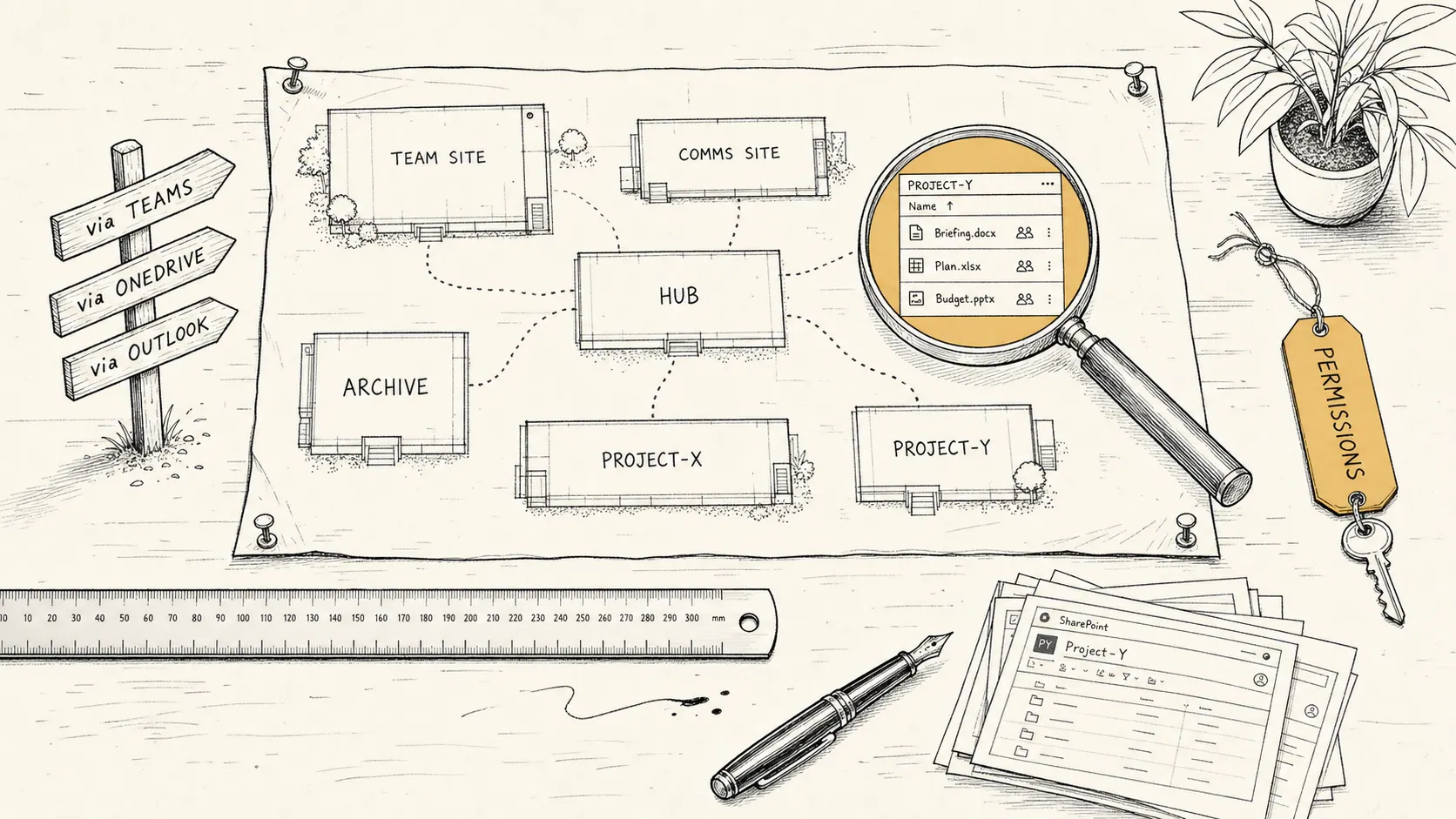
SharePoint isn't deployed once. It grows.
A SharePoint training library produced at rollout — and then left to age — has a different problem from a Salesforce or ServiceNow library. Microsoft ships continuously to SharePoint Online; there is no Spring or Vancouver release window. Microsoft publishes a monthly SharePoint Roadmap Pitstop tracking roughly 80–120+ roadmap items per year reaching general availability. New features flow through Targeted Release tenants first, then reach Standard Release typically 2–6 weeks later for routine items and several months for major overhauls.
Recent examples of the training problem. In August 2024, Microsoft shipped a redesigned SharePoint Start page — any training showing the old SharePoint Home now shows the wrong interface. In December 2024, Microsoft retired Delve entirely; training referencing Delve now directs users to a dead product. In 2025–2026, the document library command bar is being redesigned: “New and Upload” merge into a single “Create or Upload” button, breadcrumbs are rebuilt, and AI Actions appear for Copilot-licensed users. A library recorded against today’s UI will show the wrong command bar by the time it reaches Standard Release tenants.
M365 Copilot (GA November 2023) added a second layer to the training problem. Copilot surfaces all content a user can access via natural language — which means overshared files that previously required knowing where to look became immediately discoverable. Gartner found that 40% of organizations delayed their M365 Copilot rollout by three or more months because of SharePoint permissions and governance debt. Microsoft’s own response was to ship SharePoint Advanced Management as a paid add-on in March 2024, specifically to address oversharing at scale. Permissions training is now a Copilot prerequisite, not an afterthought.
The sharper problem, though, isn’t the platform’s flux alone. It’s that most users never visit a SharePoint URL. They open files from Teams, work in Outlook on the web, share through OneDrive. Training that demonstrates the SharePoint admin UI in isolation teaches the wrong center of gravity.
For SharePoint specifically, that means scoping for:
A finished library, packaged for the M365 channels you already publish through.
A complete SharePoint training video library, scoped to your tenant and your audiences. Standard delivery includes:
A typical SharePoint rollout library lands at 25–40 videos, with total runtime of 60–120 minutes, split across end-user and owner sub-libraries. Smaller engagements (a single intranet refresh, a single department’s site collection) run 12–20 videos. Tenant-wide governance resets run 60+, broken into per-audience sub-libraries.
What we cover, and how scoping accounts for the platform.
SharePoint is a wide surface that lives behind several others. Scoping decides which slice of it is on screen for which audience. The patterns that recur across engagements, ordered roughly by how frequently each area changes:
What is intentionally not in scope by default: Microsoft 365 fundamentals (Teams meetings, Outlook calendaring, Word/Excel basics) — those are different artifacts, often already covered by Microsoft’s own learning paths or Viva Learning content. The desktop applications (Outlook for Windows, the OneDrive sync client’s File Explorer integration, the Teams desktop app) are also out of scope — the library is built against the web surfaces, which have functional parity for the workflows users hit and stay current as Microsoft ships continuously. The library is procedural and tenant-specific — it teaches a specific user how to do a specific task in your SharePoint.
From discovery to a library, in days.
The process is the same six phases used on every engagement, summarized here. The full version with timing and deliverables per phase lives on the homepage.
Full phase detail with timing on the homepage.
Case studies, coming soon.
The studio is new. SharePoint work is underway; case studies post here once clients clear them. For unredacted references during late-stage evaluation, write to hello@seismic-technologies.com.
Anonymized clips of finished modules are available under NDA during discovery, covering voiceover, captioning, screen-recording quality, and branded packaging. A public reel will appear on the homepage samples section as each module clears.
Frequently asked, SharePoint-specific.
Platform-specific questions buyers ask between researching the category and starting a conversation. Category-level questions (cost ranges, runtime, AI avatars vs studio) are answered on the pillar guide.
For background on the category itself — production approaches, scoping a library, what separates a watched video from one that sits in the LMS — see the software training videos guide. For other platform-specific landings, see Salesforce and ServiceNow training videos.
A boutique studio, not an M365 partner.
Seismic is a production studio, not a Microsoft partner. We do not configure your tenant, build your Power Platform automations, or write your governance policy. We produce the training video library that lands when the configuration is done — and refresh it when Microsoft moves the screens, or when your information architecture grows beyond what the original library covered.
Microsoft Learn (learn.microsoft.com) provides free training for SharePoint covering how the platform works out of the box — site creation, library fundamentals, permissions concepts, search. It does not cover your org’s specific site architecture, naming conventions, governance policies, custom metadata, or how your intranet is structured. Microsoft has trained 14.1 million people across its digital skills programs; none of that covers the decisions your SharePoint admin made for your tenant.
The Copilot rollout has made a tenant-specific library more urgent, not less. Gartner found that 40% of organizations delayed M365 Copilot deployment by three or more months because of SharePoint permissions and governance problems that Copilot would have surfaced to users. A permissions training library and a governance reset are now prerequisites for a safe Copilot deployment — not follow-on work.
If you’re rolling out a SharePoint intranet, running a governance reset, or preparing users for M365 Copilot, start a conversation.